For this exercise, I will be choosing Pandemic 2 to adapt to the Nintendo DS.
For starters Nintendo DS has dual screen and since Pandemic has certain windows that can be clicked , I would suggest showing the situation of the world at the top and those windows on the bottom screen. On the bottom screen to the left side, there should be tabs like World, Virus and such so that a simple touch from the styllus would allow the player to easily see what is going on. On the bottom of the bottom screen, there should be the Breaking News where the player can see the climate changes and such so that he can plan accordingly in order to win the game. If possible there can be extra functions which could be added like certain support powers which aids the player in spreading to countries because I have played the game before, I know that certain countries are nearly impossible to infect. These support powers could be like bacterialogical weapon that instantly infects a target country, or vaccine breaker which gives the player a second chance if the vaccine deployed was successful against him. Also I would suggest that when clicking on to a certain country not only the words are displayed but a visual portrayal should be shown this will allow players to understand what is really happening within the country instead of words which sometimes people may misunderstand or do not know. Perhaps it should also be shown when an infected person is aboard a plane or ship so as to notify the player if his infection is successful or not.
Sunday, July 20, 2008

Sunday, June 22, 2008
POGD Game Review 7
This review is on Time Crisis 4 on the PS3
For starters the Time Crisis 4 on the Ps3 is nearly the same as the ones in the arcades. Just that while in arcades you can have unlimited credits as long as you have enough cash, the PS3 version has a maximum limit of 9 to beat the game. Once you win you can have unlimited credits. Well the special thing about this is that it uses an infrared gun and not a normal CRT gun thus it comes with some extra equipment that detects where it is shot. It also has a problem where you cant shoot close to the screen(which i found out nearly immeadiately) and you have to stand pretty far in order for it to recognize the shot.
There is a RPG part for this game but it was extremely hard for me to use the gun as it was designed for right handers and me being a left hander use the gun the in opposite way and the movement control is on the left side so i have to stretch my right hand all the way to my left side to move the control stick. The picture below will make you understand:

other then that the game is rather good just that the PS3 lags occasionally especially when there are many explosions.Sorry that i couldnt tell you more on the RPG part as using the gun is an extreme hassle for me( changing to right handed shooting will be an extreme loss in accuracy).
For starters the Time Crisis 4 on the Ps3 is nearly the same as the ones in the arcades. Just that while in arcades you can have unlimited credits as long as you have enough cash, the PS3 version has a maximum limit of 9 to beat the game. Once you win you can have unlimited credits. Well the special thing about this is that it uses an infrared gun and not a normal CRT gun thus it comes with some extra equipment that detects where it is shot. It also has a problem where you cant shoot close to the screen(which i found out nearly immeadiately) and you have to stand pretty far in order for it to recognize the shot.
There is a RPG part for this game but it was extremely hard for me to use the gun as it was designed for right handers and me being a left hander use the gun the in opposite way and the movement control is on the left side so i have to stretch my right hand all the way to my left side to move the control stick. The picture below will make you understand:

other then that the game is rather good just that the PS3 lags occasionally especially when there are many explosions.Sorry that i couldnt tell you more on the RPG part as using the gun is an extreme hassle for me( changing to right handed shooting will be an extreme loss in accuracy).
POGD Game review 6
I am going to review on Armored Core 4

Armored Core 4 is a game where you play as a mecenery ,Raven ,I believe. However I could not make out head or tail of the story of the game as the missions were extremely short and do not seem to have any connection to the story at all. In fact certain missions took me 30 seconds to complete and the longest i took to complete another was 2mins. Missions aside, you can customize your own robot to your own liking(Paint , symbol,parts ,decorations and even tuning your machine).

That aside,the gameplay is quite good but does take quite awhile to get used to it. Especially the auto targeting system, it makes your view locked on to it and at time i nearly vomited due to the massive lock-on coming form missiles that are flying to you. Other then that the graphics are nice, the robots look cool and the particle effects are extremely nice making blowing up things extra fun.

Armored Core 4 is a game where you play as a mecenery ,Raven ,I believe. However I could not make out head or tail of the story of the game as the missions were extremely short and do not seem to have any connection to the story at all. In fact certain missions took me 30 seconds to complete and the longest i took to complete another was 2mins. Missions aside, you can customize your own robot to your own liking(Paint , symbol,parts ,decorations and even tuning your machine).

That aside,the gameplay is quite good but does take quite awhile to get used to it. Especially the auto targeting system, it makes your view locked on to it and at time i nearly vomited due to the massive lock-on coming form missiles that are flying to you. Other then that the graphics are nice, the robots look cool and the particle effects are extremely nice making blowing up things extra fun.
POGD game review 5
This time I am going to review on Heroes 5
Basically Heroes 5 is a turn based strategy game. You interact with objects on the map and do battle with creatures and other players(or computers for which you will most likely be playing with) collect resources gain artifacts and also build up your town.
Thats not all though the fun part is about learning skills and it is these skills that turn the battle in or against your favor. Also certain skills can only be accquired by fufilling the prerequiste. An example would be to learn Plauge Tent you will have to have Advanced War Machines and First Aid Tent skill to be able to learn that.

Only gripe I have about it is that it lied to me about having a memory mentor that can be build in towns to retrain a hero skill other then that its fun to me.
Basically Heroes 5 is a turn based strategy game. You interact with objects on the map and do battle with creatures and other players(or computers for which you will most likely be playing with) collect resources gain artifacts and also build up your town.

Thats not all though the fun part is about learning skills and it is these skills that turn the battle in or against your favor. Also certain skills can only be accquired by fufilling the prerequiste. An example would be to learn Plauge Tent you will have to have Advanced War Machines and First Aid Tent skill to be able to learn that.

Only gripe I have about it is that it lied to me about having a memory mentor that can be build in towns to retrain a hero skill other then that its fun to me.
Friday, May 23, 2008
POGD game review 4
Today i will be reviewing on Enchant Arms, a rpg game.
The story centres around one guy by the name of Atsuma and his right arm which seems to house some powerful demon. What is in the right arm was revealed near the end of the game
Graphics-wise, it is quite nice especially on how the monsters look like.Sometimes included in the graphics are some humor too.
Gameplay is a little strange for me though, you have a party of 4 people which you arrange in a 3x4 grid. Certain attacks can only be done up close while others have to be far away for it to work. Yes, your enemy is also in a 3x4 grid facing opposite you. Luckily for most boss fights, the boss covers the whole area of the grid so it very easy to hit it.
The level design is not bad but somehow frustrating. I remember a time when i got stuck at a certain place for nearly 2hours just because of a small enterance that can barely be seen.
The sounds are ok, just that some I feeel is inappropriate for some parts.
Pictures will be placed later.
The story centres around one guy by the name of Atsuma and his right arm which seems to house some powerful demon. What is in the right arm was revealed near the end of the game
Graphics-wise, it is quite nice especially on how the monsters look like.Sometimes included in the graphics are some humor too.
Gameplay is a little strange for me though, you have a party of 4 people which you arrange in a 3x4 grid. Certain attacks can only be done up close while others have to be far away for it to work. Yes, your enemy is also in a 3x4 grid facing opposite you. Luckily for most boss fights, the boss covers the whole area of the grid so it very easy to hit it.
The level design is not bad but somehow frustrating. I remember a time when i got stuck at a certain place for nearly 2hours just because of a small enterance that can barely be seen.
The sounds are ok, just that some I feeel is inappropriate for some parts.
Pictures will be placed later.
Sunday, May 11, 2008
POGD game review 3

Today I will be reviewing on a game called Dynasty Warriors 6
Basically Dynasty Warriors is a hack and slash game where the player plays as one of the famous people in China during the period of the 3 kingdoms. This version differs a little bit from the other dynasty warriors series due to the player swim, and jump down into fortress and confuse your enemies allowing you to kill them before they can react. Also they have a skill tree now, you can complete the skill tree when you maxed out your level.

Basically this game is just a redone of the Dynasty warriors series with better graphics and such.
However I think its not up to standard. For example, the new combo system is now tied up with your character's renbu. This practially means you cant use certain combos until you learn them and to raise your renbu is a heck of a hassle. Another is most of the people have nearly the same specials just that they are being moved at little bit different or have some small graphics change. Even the attack patterns of certain characters are exactly the same. Kinda gives me the feeling that this game is slacking.
Monday, April 28, 2008
POGD game review 2
 For this time , I'm going to review The Eye of Judgement.
Have you ever watched the show Yugi-oh ? There was a part in the show where those people place cards on the board and they come out to life on a bigger board. If you cannot imagine that its ok, here is a picture to show you:

this is how the board looks like:

The aim of the game is to stratigically occupy 5 spaces out of the 9 spaces on the board in order to win. To acheive that you have to use certain spells and monster cards to summon on the board and kill other monsters on the board to stop them from winning. To prevent easy wins from an overpowered deck, there is a function called summoning lock that prevents certain cards from being usable until the lock is taken off.
Another fun thing about this is (to me that is) that you have to buy cards to increase your deck size and the only way of getting better and powerful cards. So yes you have to spend more then just buying the game itself. If you want to win flawlessly you have to get booster packs to assemble a deck.
Graphics-wise, the monsters are quite nicely done.However I feel that they skimped on the spell animations. Whenever you cast a spell a hooded guy just appears and reads out the name of that spell and thats all. Kinda stupid I feel.

POGD review 1
For this week I am going to review on Devil May Cry 4.

The story is about a guy with a demonic hand by the name of Nero living in a secluded village that still worship's Sparda as a god. However the church that advocates Sparda as a god seems to plan something else other than worshipping him.
Gameplay: The control are quite smooth and in DMC4 there is an automatic function that somehow predicts what you want to do to achieve certain combos and helps you to do them. However it seemed to me that that automatic function is a little too helpful as it does some combos which I have never started to press before.
 This is an attack combo of Nero's red queen
 attack, pause , attack, attack, attack
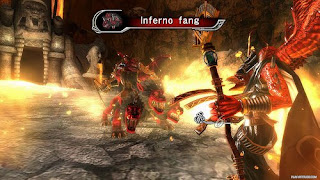
Graphics : The whole thing is in HD and everything is nice to look at especially the bosses.
Here's a picture of one of the people in the church:

Level Design: On the whole the level design is not bad, however the minimap is a little confusing for me at first, there was once I got stuck in a level for 1 hour due to me seeing a door but there was no door there. Finally i realized that the map shows a top view of the place and that door is being obstructed by something else instead.
Wednesday, January 2, 2008
Practical 12
Today at practical we were asked to apply textures on to objects.
After tinkering around with the code i finally came up with this picture

Here's the code used to do this
glBegin(GL_QUADS);
gTexture.SetTexture();
glTexCoord2f(0,0);
glVertex2f(0,0);
glTexCoord2f(1,0);
glVertex2f(5.5,0);
glTexCoord2f(1,1);
glVertex2f(5.5,5.5);
glTexCoord2f(0,1);
glVertex2f(0,5.5);
//draw quad here
Ok I am going back to finsih up the rest of it edit this post later bye.
glEnd();
glEnd();
Wednesday, December 12, 2007
Practical 9
Currently doing my practical 9 now having some problems on the lighting for some reason when i put in the lighting code the viewport became a 2d view like this:

will post more on this if i managed to finish it.

will post more on this if i managed to finish it.
Practical 8
For this practical we were asked to do our assignment one.
I went on to my assignment which was a robot on wheels playing a keyboard
Why this?
I couldnt think of any idea and so I ended up doing this
I went on to my assignment which was a robot on wheels playing a keyboard
Why this?
I couldnt think of any idea and so I ended up doing this
Wednesday, November 28, 2007
Practical 7
Today in class we were asked to do some lighting on the objects created.
Here are some pictures

Another one on the cylinder

And one on my robot

Here is the code needed to make it work
void init(void)
{
GLfloat ambient[] = { 0.0, 0.0, 0.0, 1.0 };
GLfloat diffuse[] = { 1.0, 1.0, 1.0, 1.0 };
GLfloat specular[] = { 1.0, 1.0, 1.0, 1.0 };
GLfloat position[] = { 0.0, 3.0, 2.0, 0.0 };
GLfloat lmodel_ambient[] = { 0.4, 0.4, 0.4, 1.0 };
glClearColor(0.0, 0.1, 0.1, 0.0);
//Enable Depth test
glShadeModel(GL_SMOOTH);
glLightfv(GL_LIGHT0, GL_AMBIENT, ambient);
glLightfv(GL_LIGHT0, GL_DIFFUSE, diffuse);
glLightfv(GL_LIGHT0, GL_POSITION, position);
glLightModelfv(GL_LIGHT_MODEL_AMBIENT, lmodel_ambient);
glLightModeli(GL_LIGHT_MODEL_LOCAL_VIEWER, GL_TRUE);
glEnable(GL_LIGHTING);
glEnable(GL_LIGHT0);
}
In mydisplay()
GLfloat mat_diffuse[] = { 0.1, 0.5, 0.8, 1.0 };
GLfloat mat_specular[] = { 1.0, 1.0, 1.0, 1.0 };
GLfloat low_shininess[] = { 5.0 };
//Clear buffer.
glMaterialfv(GL_FRONT, GL_DIFFUSE, mat_diffuse);
glMaterialfv(GL_FRONT, GL_SPECULAR, mat_specular);
glMaterialfv(GL_FRONT, GL_SHININESS, low_shininess);
In main()
init();
Practical 6
This week we were asked to create an object and code it in such a way that when a certain key is pressed, the object will move in that specific direction
Here's a screenshot of it:

Here is the code used to make this thing move:
In void main
glutKeyboardFunc(Keyboard);
glutKeyboardFunc(Keyboard);
Declared as global are:
int x= 0;
int y=0;
int x= 0;
int y=0;
In the KeyboardFunc(Keyboard)
void Keyboard(unsigned char key, int x, int y)
{
switch(key) //check which key is pressed
{
case 'd':
::x++; //add 1 to global x.
break;
case 'a':
::x--; //minus 1 to global x.
break;
case 'w':
::y++;
break;
case 's':
::y--;
break;
}
}
In my display()
glTranslatef(::x,::y,0);
glTranslatef(::x,::y,0);
Wednesday, November 21, 2007
Practical 5
On the 5th week of my lab session:
We were asked to do a robot and animate it.
However currently I have only been able to rotate it.
Either way here's a picture of it

Here's a sample code of the creation of the robot
void drawBody()
{
glBegin(GL_QUADS);
glVertex3f(15,5,5);
glVertex3f(15,5,-5);
glVertex3f(15,-20,-5);
glVertex3f(15,-20,5);
glVertex3f(-15,-20,5);
glVertex3f(-15,-20,-5);
glVertex3f(-15,5,-5);
glVertex3f(-15,5,5);
glVertex3f(-15,5,5);
glVertex3f(-15,-20,5);
glVertex3f(15,-20,5);
glVertex3f(15,5,5);
glVertex3f(-15,5,-5);
glVertex3f(-15,-20,-5);
glVertex3f(15,-20,-5);
glVertex3f(15,5,-5);
glVertex3f(-15,5,-5);
glVertex3f(-15,5,5);
glVertex3f(15,5,5);
glVertex3f(15,5,-5);
glVertex3f(-15,-20,-5);
glVertex3f(-15,-20,5);
glVertex3f(15,-20,5);
glVertex3f(15,-20,-5);
glEnd();
}
void head()
{
glutSolidSphere(9,34,23);
}
void drawLimb()
{
glBegin(GL_QUADS);
glVertex3f(5,5,5);
glVertex3f(5,5,-5);
glVertex3f(5,-15,-5);
glVertex3f(5,-15,5);
glVertex3f(5,-15,5);
glVertex3f(5,-15,-5);
glVertex3f(-5,-15,-5);
glVertex3f(-5,-15,5);
glVertex3f(-5,-15,5);
glVertex3f(-5,-15,-5);
glVertex3f(-5,5,-5);
glVertex3f(-5,5,5);
glVertex3f(-5,5,-5);
glVertex3f(-5,5,5);
glVertex3f(5,5,5);
glVertex3f(5,5,-5);
glVertex3f(-5,5,5);
glVertex3f(5,5,5);
glVertex3f(5,-15,5);
glVertex3f(-5,-15,5);
glVertex3f(5,5,5);
glVertex3f(-5,5,5);
glVertex3f(-5,-15,5);
glVertex3f(5,-15,5);
glEnd();
}
void drawRobot()
{
glPushMatrix();
glColor3f(1,0,0);
glTranslatef(-20, 0.0, 0.0);
glRotatef(40.0, 1.0, 0.0, 0.0);
drawLimb(); //draw upper right arm
glPopMatrix();
glPushMatrix();
glColor3f(0,1,0);
glTranslatef(-20, -15.0, -2.0);
glRotatef(-30.0, 1.0, 0.0, 0.0);
drawLimb(); //lower right limb
glPopMatrix();
glPushMatrix();
glColor3f(1,1,1);
glTranslatef(-10, -45.0, 0.0);
glRotatef(0.0, 0.0, 0.0, 0.0);
drawLimb(); // bot left leg
glPopMatrix();
glPushMatrix();
glColor3f(0,1,1);
glTranslatef(10, -45.0, 0.0);
glRotatef(60.0, 1.0, 0.0, 0.0);
drawLimb(); // bot right leg
glPopMatrix();
glPushMatrix();
glColor3f(1,1,1);
glTranslatef(10, -25.0, 0.0);
glRotatef(0.0, 0.0, 0.0, 0.0);
drawLimb(); //top right leg
glPopMatrix();
glPushMatrix();
glColor3f(0,1,1);
glTranslatef(-10, -25.0, 0.0);
glRotatef(0.0, 0.0, 0.0, 0.0);
drawLimb(); //top left leg
glPopMatrix();
glPushMatrix();
//glTranslatef(0, 0.0, 2.5);
glColor3f(0,0,1);
drawBody();
glPopMatrix();
glPushMatrix();
glColor3f(1,0,1);
glTranslatef(0, 12.0, 0.0);
//glTranslatef(20,30.0,20.0);
head();
glPopMatrix();
glPushMatrix();
glColor3f(1,1,0);
glTranslatef(20, 0.0, 0.0);
glRotatef(-40.0, 1.0, 0.0, 0.0);
drawLimb(); //draw upper left arm
glPopMatrix();
glPushMatrix();
glTranslatef(20, -12.5, 7.5);
glRotatef(-90.0, 1.0, 0.0, 0.0);
drawLimb(); //lower left limb
glPopMatrix();
}
And here is code for rotation
In the Display function:
glPushMatrix();
glRotatef(::rot,xx,yy,zz);
drawRobot();
glPopMatrix();
In the KeyboardFunc:
switch(key)
{
case 'x':
if(pressed==0)
{
xx=1;
pressed=1;
}
else if(pressed==1)
{
xx=0;
pressed=0;
}
break;
case 'y':
if(pressed==0)
{
yy=1;
pressed=1;
}
else if(pressed==1)
{
yy=0;
pressed=0;
}
break;
case 'z':
if(pressed==0)
{
zz=1;
pressed=1;
}
else if(pressed==1)
{
zz=0;
pressed=0;
}
break;
}
In my DoMainLoop:
void DoMainLoop()
{
if(::rot>=-90&&::rot<=90&&::set==0) { ::rot++; if(::rot==90) { ::set=1; } } else if(::rot>=-90&&::rot>=-90&&::set==1)
{
::rot--;
if(::rot==-90)
{
::set=0;
}
}
}
Erm i made a mistake on the rotation, somehow i thought it was to rotate the whole body and this code shows that, i will do the rotating of arms later
We were asked to do a robot and animate it.
However currently I have only been able to rotate it.
Either way here's a picture of it

Here's a sample code of the creation of the robot
void drawBody()
{
glBegin(GL_QUADS);
glVertex3f(15,5,5);
glVertex3f(15,5,-5);
glVertex3f(15,-20,-5);
glVertex3f(15,-20,5);
glVertex3f(-15,-20,5);
glVertex3f(-15,-20,-5);
glVertex3f(-15,5,-5);
glVertex3f(-15,5,5);
glVertex3f(-15,5,5);
glVertex3f(-15,-20,5);
glVertex3f(15,-20,5);
glVertex3f(15,5,5);
glVertex3f(-15,5,-5);
glVertex3f(-15,-20,-5);
glVertex3f(15,-20,-5);
glVertex3f(15,5,-5);
glVertex3f(-15,5,-5);
glVertex3f(-15,5,5);
glVertex3f(15,5,5);
glVertex3f(15,5,-5);
glVertex3f(-15,-20,-5);
glVertex3f(-15,-20,5);
glVertex3f(15,-20,5);
glVertex3f(15,-20,-5);
glEnd();
}
void head()
{
glutSolidSphere(9,34,23);
}
void drawLimb()
{
glBegin(GL_QUADS);
glVertex3f(5,5,5);
glVertex3f(5,5,-5);
glVertex3f(5,-15,-5);
glVertex3f(5,-15,5);
glVertex3f(5,-15,5);
glVertex3f(5,-15,-5);
glVertex3f(-5,-15,-5);
glVertex3f(-5,-15,5);
glVertex3f(-5,-15,5);
glVertex3f(-5,-15,-5);
glVertex3f(-5,5,-5);
glVertex3f(-5,5,5);
glVertex3f(-5,5,-5);
glVertex3f(-5,5,5);
glVertex3f(5,5,5);
glVertex3f(5,5,-5);
glVertex3f(-5,5,5);
glVertex3f(5,5,5);
glVertex3f(5,-15,5);
glVertex3f(-5,-15,5);
glVertex3f(5,5,5);
glVertex3f(-5,5,5);
glVertex3f(-5,-15,5);
glVertex3f(5,-15,5);
glEnd();
}
void drawRobot()
{
glPushMatrix();
glColor3f(1,0,0);
glTranslatef(-20, 0.0, 0.0);
glRotatef(40.0, 1.0, 0.0, 0.0);
drawLimb(); //draw upper right arm
glPopMatrix();
glPushMatrix();
glColor3f(0,1,0);
glTranslatef(-20, -15.0, -2.0);
glRotatef(-30.0, 1.0, 0.0, 0.0);
drawLimb(); //lower right limb
glPopMatrix();
glPushMatrix();
glColor3f(1,1,1);
glTranslatef(-10, -45.0, 0.0);
glRotatef(0.0, 0.0, 0.0, 0.0);
drawLimb(); // bot left leg
glPopMatrix();
glPushMatrix();
glColor3f(0,1,1);
glTranslatef(10, -45.0, 0.0);
glRotatef(60.0, 1.0, 0.0, 0.0);
drawLimb(); // bot right leg
glPopMatrix();
glPushMatrix();
glColor3f(1,1,1);
glTranslatef(10, -25.0, 0.0);
glRotatef(0.0, 0.0, 0.0, 0.0);
drawLimb(); //top right leg
glPopMatrix();
glPushMatrix();
glColor3f(0,1,1);
glTranslatef(-10, -25.0, 0.0);
glRotatef(0.0, 0.0, 0.0, 0.0);
drawLimb(); //top left leg
glPopMatrix();
glPushMatrix();
//glTranslatef(0, 0.0, 2.5);
glColor3f(0,0,1);
drawBody();
glPopMatrix();
glPushMatrix();
glColor3f(1,0,1);
glTranslatef(0, 12.0, 0.0);
//glTranslatef(20,30.0,20.0);
head();
glPopMatrix();
glPushMatrix();
glColor3f(1,1,0);
glTranslatef(20, 0.0, 0.0);
glRotatef(-40.0, 1.0, 0.0, 0.0);
drawLimb(); //draw upper left arm
glPopMatrix();
glPushMatrix();
glTranslatef(20, -12.5, 7.5);
glRotatef(-90.0, 1.0, 0.0, 0.0);
drawLimb(); //lower left limb
glPopMatrix();
}
And here is code for rotation
In the Display function:
glPushMatrix();
glRotatef(::rot,xx,yy,zz);
drawRobot();
glPopMatrix();
In the KeyboardFunc:
switch(key)
{
case 'x':
if(pressed==0)
{
xx=1;
pressed=1;
}
else if(pressed==1)
{
xx=0;
pressed=0;
}
break;
case 'y':
if(pressed==0)
{
yy=1;
pressed=1;
}
else if(pressed==1)
{
yy=0;
pressed=0;
}
break;
case 'z':
if(pressed==0)
{
zz=1;
pressed=1;
}
else if(pressed==1)
{
zz=0;
pressed=0;
}
break;
}
In my DoMainLoop:
void DoMainLoop()
{
if(::rot>=-90&&::rot<=90&&::set==0) { ::rot++; if(::rot==90) { ::set=1; } } else if(::rot>=-90&&::rot>=-90&&::set==1)
{
::rot--;
if(::rot==-90)
{
::set=0;
}
}
}
Erm i made a mistake on the rotation, somehow i thought it was to rotate the whole body and this code shows that, i will do the rotating of arms later
Wednesday, October 31, 2007
3rd week of my lab
Today what was taught was how to draw simple shape through coding.
For example to draw a triangle you have to type
glBegin(GL_TRIANGLES);
glVertex3f(0.5f, 0.5f, 0.0f);
glVertex3f(1.0f, 1.0f, 0.0f);
glVertex3f(0.75f,0.5f, 0.0f);
glEnd( );
glBegin(GL_TRIANGLES);
glVertex3f(0.5f, 0.5f, 0.0f);
glVertex3f(1.0f, 1.0f, 0.0f);
glVertex3f(0.75f,0.5f, 0.0f);
glEnd( );
into the void myDisplay(void) function.
The same goes for quadilaterals but as they have 4 points an additonal
glVertex3f(x.xf,y.yf, 0.0f); is needed
eg
glBegin(GL_QUADS);
glVertex3f(-0.5,-0.5,0);
glVertex3f(0.5,-0.5,0);
glVertex3f(0.5,0.5,0);
glVertex3f(-0.5,0.5,0);
glEnd( );
glBegin(GL_QUADS);
glVertex3f(-0.5,-0.5,0);
glVertex3f(0.5,-0.5,0);
glVertex3f(0.5,0.5,0);
glVertex3f(-0.5,0.5,0);
glEnd( );
Also by placing a glColor3f(0.0,0.0f,1.0f); infront of a glBegin(GL_(your shape))
will give you a desired colour with 1 being the strongest i think.
This glColor gives a blue colour.
Now on the show pictures of what was done:
Triangle
2nd week of my lab
On this week I have learnt how to actually draw something onto the computer screen. Also some new abbreviation like CLUT(Colour Look Up Table). I also have discovered the reason for a callback function and its uses over other conventional method.
Here's a sample code of what I did:
void MeltDown()
{
static int lines[800];
for(int i=0;i<800;i++) 10="="0)">600)
lines[i]=0;
}
for(int j=0;j=100&&j<=200) { PlotPixel(i,599-j,0,255,255); } else if(j>200&&j<=300) { PlotPixel(i,599-j,0,255,0); } else if(j>300&&j<=400) { PlotPixel(i,599-j,255,255,0); } else if(j>400&&j<=500) { PlotPixel(i,599-j,255,0,0); } } } }
void MeltDown()
{
static int lines[800];
for(int i=0;i<800;i++) 10="="0)">600)
lines[i]=0;
}
for(int j=0;j
This is how it looks like

Wednesday, October 17, 2007
Game review

Game title: Warhawk
Game platform: Playstation 3(PS3)
Game genre: Sci-Fi Shooter
Developer: Incognito
Product Model Year: 2007
Game requirements: NIL
Game description: Warhawk is an online game played on the PS3 which allows you to play with up to 31 players. Warhawk also feature 3 different types of gameplay: zones, CTF(Capture The Flag) , DM(DeathMatch) or TDM(Team DeathMatch) and Dogfight where you fight against other player in aircraft and only aircraft.
Game play: The gameplay is mostly like Battlefield series where you have to work as a team to capture certain zones in order to acheive victory. You can either go on foot, ride a vehicle such as a tank or hop into an aircraft and blast the daylights out of your enemies.
Graphics: The graphic are quite nice , smooth and the aircraft and vehicles look quite real to me that is. Have a look at it yourself.

Sound: As for sound, it is quite an important aspect in the game. An example would be that when you are in an aircraft, a buzzing sound will mean that there are homing missles locked on to your aircraft and you will have to take measures to avoid them.
Conculsion: Warhawk is quite a nice game to play and the fun multiplies when you have friends playing together with you online or on the same PS3 console.
Conculsion: Warhawk is quite a nice game to play and the fun multiplies when you have friends playing together with you online or on the same PS3 console.
Intro and Maths
Yo,
This is my first time blogging, the reason for this is because I am required to do so by my course module.
In this first week's practical, I am supposed to set up a website and maintain it (which is what i am doing now in fact)
Next, I have to post on my website a breif review of my maths and the review of a computer game of my choice.
This week the only lab session I have gone to is the Advanced C++ on tuesday. That session was mostly on recap on the C++ I learnt on the previous semester. An example would be that I had to write a program that shows the abbreivation of the shortform entered by the user.
Eg,
if(state==NCstate==ncstate==nCstate==Nc)
{
cout<<"NC stands for North Carolina.\n";
}
Now on to maths..
Vectors
On vectors, I can mostly understand the questions and how to do. However when the vectors come into the 3d zone I begin to have a little problem on understanding them.
Matrix
On matrix, the only parts I have problems with is finding the determinent of 3x3 matrix and above.
Indices
Not much problems with indices at all
Will there also be dfifferenciation ,intergration and the use of logarithem in CG?
I wonder..
This is my first time blogging, the reason for this is because I am required to do so by my course module.
In this first week's practical, I am supposed to set up a website and maintain it (which is what i am doing now in fact)
Next, I have to post on my website a breif review of my maths and the review of a computer game of my choice.
This week the only lab session I have gone to is the Advanced C++ on tuesday. That session was mostly on recap on the C++ I learnt on the previous semester. An example would be that I had to write a program that shows the abbreivation of the shortform entered by the user.
Eg,
if(state==NCstate==ncstate==nCstate==Nc)
{
cout<<"NC stands for North Carolina.\n";
}
Now on to maths..
Vectors
On vectors, I can mostly understand the questions and how to do. However when the vectors come into the 3d zone I begin to have a little problem on understanding them.
Matrix
On matrix, the only parts I have problems with is finding the determinent of 3x3 matrix and above.
Indices
Not much problems with indices at all
Will there also be dfifferenciation ,intergration and the use of logarithem in CG?
I wonder..
Subscribe to:
Posts (Atom)